Trading utilities for MetaTrader 5
Shopping cart
MetaTrader 5
Top Rated Products MT5



Overview
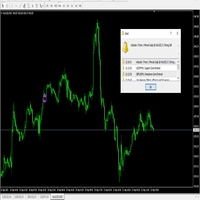
This utility shows the performance of the account (closed operations) in a graphical panel attached to a graph as an indicator. The purpose of the utility is to have a quick and clear view of the performance of transactions organized by different EAs or any desired combination.
The utility has the following features in the current version 1.0:
- Custom groups can be defined, to analyze and compare different performances within the account. The groups can contain filters of two types, filters for select ranges of magic numbers, in order to select the offers by different expert advisors or systems, and filters to include or exclude symbols.
- The graph line of the performance of the different groups is displayed in the panel if it is selected. The different statistics that can be selected in the current version are:
1. Profit in account currency
2.% profit
3. Profit in account currency (fixed balance of 100,000). This option scales the size and therefore the profit or loss of the trade to a fixed balance of 100,000.
4. Balance
5. Net deposit
- The date range can be changed
Instructions
- The first time the utility is attached to an account, a default group configuration is created as an example, using different groups from SmartForexExpert EAs. Change this setting according to your desired organization. A file is generated with all the magic numbers and symbols found in the account to help define the magic number range for the different EAs.
These files can be found in the platform's 'data folder', which can be opened via the 'file' tab. The files are inside: MQL5 \ Files \ SFE \ Deals-Performance and the account number in the file name identifies the files for each account you use on the platform. Follow the sample configuration to define your own.
Any doubts ask in the comments page.