Trading utilities for MetaTrader 5
Shopping cart
The cart is empty
MetaTrader 5
Top Rated Products MT5



Overview
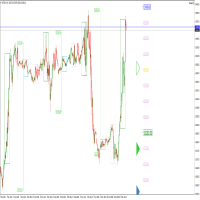
This indicator displays entry points in the market where to open your positions. The indicator is based on Parabolic, SuperTrend and Bollinger Bands to increase profitability and reduce the number of losing trades. It helps to find breakout of the support or resistance line and shows where to enter the market. The dashboard shows the results of the indicator (total pips win, loss, % of win and so on). The notification of entry points comes to the phone. It uses closed bars, no tick data. When you test the indicator, choose "open prices only".
Advantages
- Showing real results in pips and % of win entry points.
- Skipping many false breakouts in compares with classical indicators.
- The ability to choose the settings that will fit trend or flat.
- The signals are not redrawn.
- Visual display of bullish and bearish trend.
- It clearly shows the profit in points, the number of successful and unsuccessful trades, the percentage ratio, and consecutive loss count.
Parameters
- velocity - coefficient for the rate of convergence with the price. The more coefficient - the more entry points. Values 1-5 are suitable for large areas of the trend. The default value is 10;
- multiplier - coefficient for the limit of convergence with the price. The default value is 5;
- smooth - smoothing line period. The default value is 2;
- space - distance from the price at which the indicator line becomes horizontal. The default value is 5;
- lasso - lasso mode starts to bypass false breakouts. The default value is 5;
- q - lasso mode gain. The default value is 0.1;
- takeprofit - value for profit calculation in points (takeprofit). The default value is 5;
- bars - the number of bars to calculate. The minimum value of 1000;
- notification - send messages to the phone (Metaquotes ID). The default value is 1;
- panel - it displays the dashboard. The default value is 1; 1-Yes, 0-No;
- allbars - use all bars for calculation. The default value is 1; 1-Yes, 0-No;
Information panel
The information panel displays the following information:
- win percent - a ratio of profitable and losing trades in percent.
- total loss - the total number of losing trades.
- total trades - the total number of trades.
- total win - the amount of profit in points for the number of candles.
- takeprofit - the distance from the entry point to the high or low candle at which the profit is measured.
- mcl - maximum number of losses in a row.
- bars - the number of bars to calculate.
Additional information
The parameters in this indicator have a strong influence on the definition of entry points into the market. The lasso and q parameters need to be fine-tuned to get the maximum profit in total win and the minimum value in mcl. For flat the space parameter is important, it should be selected empirically to find the best inputs and identify long-term trends. The mcl is important for using the indicator for trading on the martingale principle, where the minimum series of losses plays an important role.
The indicator works only with closed bars, volume and tick data are not taken into account when calculating values.