Technical Indicators for MetaTrader 5
Shopping cart
The cart is empty
MetaTrader 5
Top Rated Products MT5



Overview
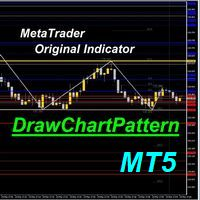
This indicator automatically identifies the SMC 3-Drive pattern and sends notifications to users when the pattern is detected. Additionally, the indicator identifies PDArray (including FVG and OB) and offers an option to combine the 3-Drive pattern with PDArray. This combination provides users with more reliable signals.
What is the 3-Drive Pattern?
This pattern is formed by three price pushes in one direction, providing a strong reversal signal (Figure 3). The key to identifying this pattern is the symmetry in time. Specifically:
- The second and third price pushes should reach 127.2% or 161.8%, which can be determined using Fibonacci retracement levels.
- Following retracements A and C should pull back to 61.8% or 78.6% of the previous push wave.
- In strong trending markets, retracement levels can be 38.2% or 50%.
- Furthermore, the time of retracement waves A and C should be symmetrical, similar to push waves 2 and 3.
Applying the 3-Drive Pattern in SMC Theory
In SMC, the first and most important task is to evaluate the market structure and determine the current price trend. The next step is to identify areas of interest (POI), typically OB and FVG blocks, which are located in the Premium zone (for a downtrend) or the Discount zone (for an uptrend). When the price reaches these zones, we move to a lower time frame to look for trading opportunities. Figure 3 clearly illustrates an SMC strategy and the position of the 3-Drive pattern within that strategy. As shown in Figure 4, when the 3-Drive pattern is identified and one of its peaks coincides with a previous PDArray, it provides a high-profit trading opportunity.
Settings
* 3 Drive settings:
- Pivot Period: the most important setting that define pivot point length (left side and right side). Diffirent period will diffirent model detected.
- Lookback number: the history bar calculate at init time
- Alert setting (when 3D model detected)
- Prefix: the prefix of object shown in chart.
The common weakness of indicators that automatically identify patterns according to the SMC strategy is that they need a fixed length to determine the pivot point. With different length values, "HH", "LL", "LH", "HL" will be diffirent, the structurally recognized model will be different.
To overcome the above weakness, I introduced the concept of prefix. With different prefixes, users can attach multiple indicators on the same chart, each indicator applies to a different pivot length such as 2, 5, 6, 7.... From there, it is possible to monitor models across all market structures.
* PDArray Settings:
- PDArray type: there are 4 option: FVG, OB, Both FVG+OB or NONE is not use
- OB length: is length for pivot point of OB (OB is valid when it leave at top or bottom)
- Show all OB or FVG: this option allow show all OB and FVG in chart. If false, indicator only show FVG, OB that relax with 3 Drive detected
- Valid FVG by ATR is filter that remove FVG with height smaller than ATR * with this value.
Frequently Asked Questions
Why nothing show on chart when i load inidicator?
https://www.youtube.com/watch?v=hW-KHHvUCWI
How i build signal scan system with this indicator?
Details doc for this indicator